
Group payments let you pay for several deals with one bank transfer. It’s a good option if you want to settle many projects at the same time.
How to do it
- Log in to your account.
- Go to Dashboard.
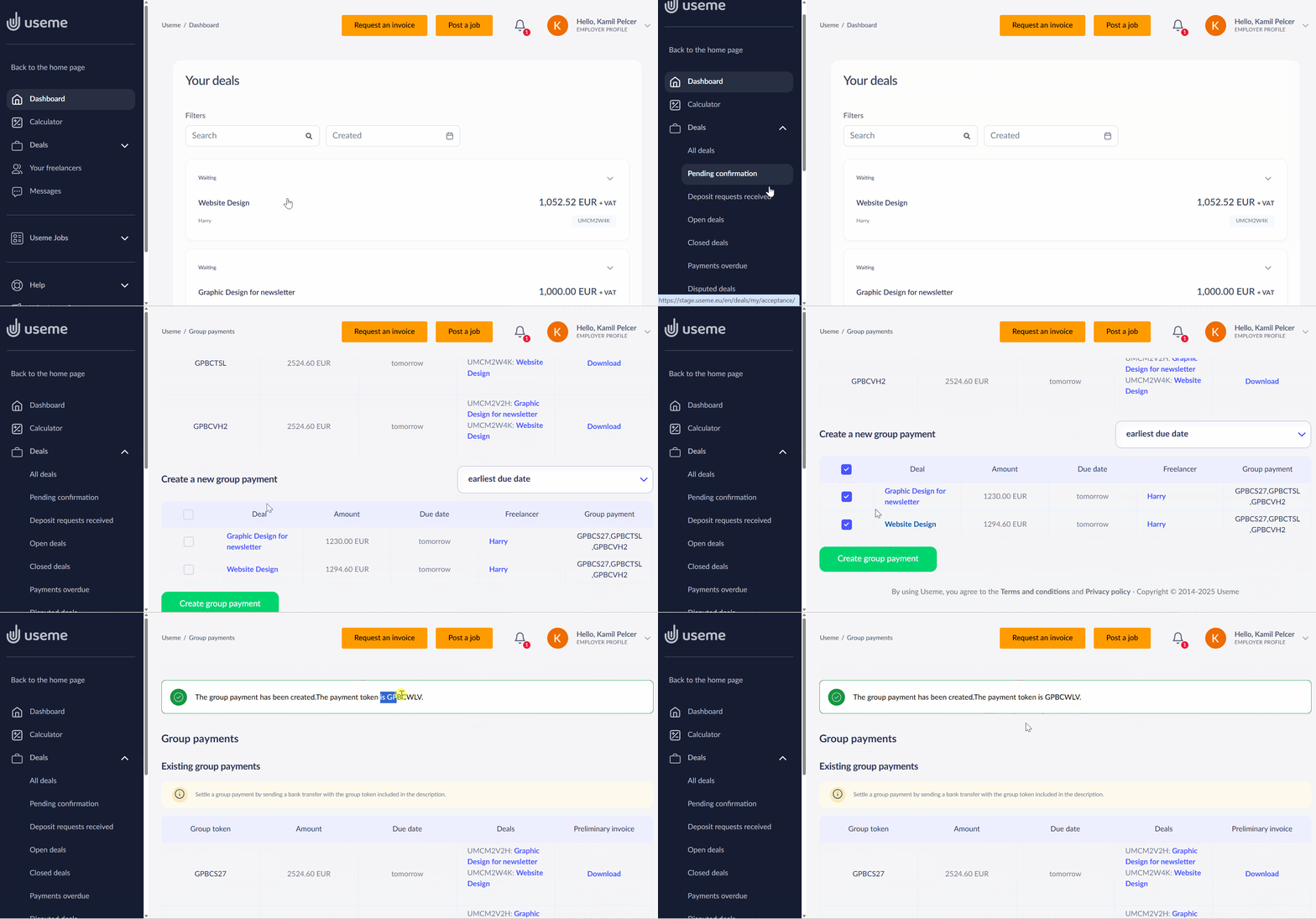
- In the left menu, select Deals → Group payments.
- You’ll see a list of your deals. Select the deals you want to pay for. You can:
- Select individual deals using the checkboxes next to each deal.
- Use the checkbox at the top to select all deals at once.
- Click “Create group payments”. A summary with payment details will appear.
- Click “Download” to download the preliminary invoice.
- To complete the transfer, please include the group token number in the payment title. You will find it in the summary and on the preliminary invoice.
The preliminary invoice includes all selected deals. After you pay it, each deal is settled separately, and freelancers receive their payments.
If you don’t see the group payments option, email us at employer@useme.com. We’ll enable this feature for your account.